FAQs
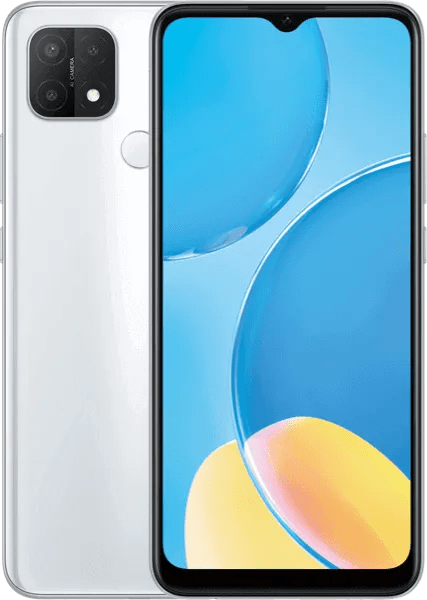
What is a factory SIM unlock code for Oppo A15s?
A factory SIM unlock code (NCK) is a manufacturer-provided code that removes the carrier restriction. Entering it makes your Oppo A15s able to accept SIM cards from any GSM network.
How do I find my phone's IMEI?
Dial *#06# on the phone to display the 15-digit IMEI, or check the device settings or original retail box.
Is unlocking by code safe?
Yes. Unlocking with a factory code does not change the phone’s firmware or software, so it is the manufacturer-recommended and warranty-safe method.
Will unlocking erase my data?
No. Entering an unlock code does not reset or delete apps, contacts, photos, or settings.
How long will it take to receive my unlock code?
Delivery time varies by model and carrier. Typical turnaround is between 1–5 days, with many common models completing much faster.
Can every Oppo model be unlocked by IMEI?
Most models can be unlocked by IMEI-generated codes. Exceptions include devices locked to special vendor systems (for example, phones that require a Device Unlock App).
What should I do if my phone asks for a SIM Network Unlock PUK instead of a PIN?
Contact support before ordering. A PUK request usually indicates a different unlock process and ordering the wrong code type can cause issues.
Do I need any tools or software to enter the unlock code?
No. Simply insert a SIM from another network and enter the code when the phone prompts. No cables or apps are required.
What happens if I enter the wrong code?
Phones limit the number of incorrect attempts. Repeated wrong entries can permanently block code entry. Always use the exact code supplied for your IMEI.
Does unlocking work for dual-SIM phones?
Yes. Unlocking is usually applied to the device and both SIM slots become usable with other carriers once the correct code is accepted.
Will a factory unlock remain after a software update or factory reset?
Yes. A proper factory unlock remains in effect even after resets or official software updates.
Can I use my unlocked Oppo A15s while travelling internationally?
Absolutely. Once unlocked, the phone should accept compatible GSM SIM cards from carriers worldwide — making it ideal for travel.
What information do I need to provide when ordering an unlock?
Only the 15-digit IMEI and the exact model/carrier details if requested. Double-check the IMEI before submitting.
Who should I contact if the code doesn't work?
Contact the service support where you purchased the code and provide the IMEI, model, carrier details, and any error messages shown on screen.